A booking page customers use without an account
Real availability, a confirmation and reminders, and the booking lands in the customer record.
Meta's Muse is a personal assistant for one person's apps and errands. Atty is an AI assistant designed for business: it works from your customers, bookings, forms and team tasks, and it drafts the work for your approval.
Approve · Reject
If you like the idea of Muse but need it for your business, the missing piece is the shared side: customers who book and ask, and a team that picks up the next step. That is what Attain OS and Atty are designed for.
Real availability, a confirmation and reminders, and the booking lands in the customer record.
Every answer becomes a record you can assign and follow up on.
Build it in the Content Creator wizard and review it before you share the link.
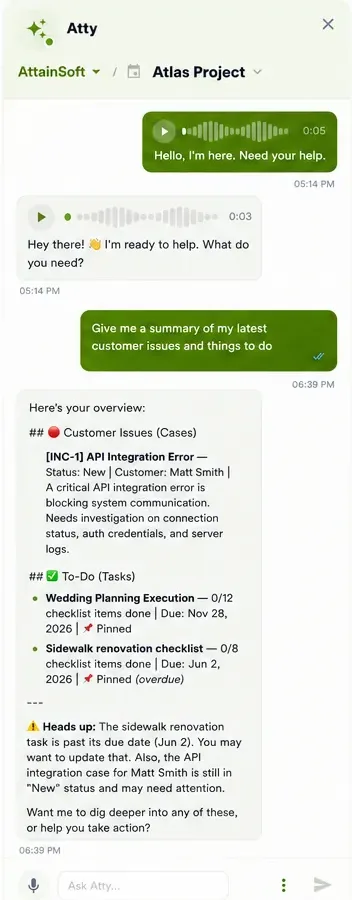
Web chat, WhatsApp or voice. It drafts tasks, replies and booking changes, and you approve them.
Meta describes Muse as a personal agent that handles email, calendar, research and documents for one person. An owner can use it for their own work; it is not designed around a business's customers or team.
A customer's history, who owns the next task and where the files live have to be shared. Attain OS keeps those in one project, with members and tasks assigned by @handle, and Atty works from them.
Atty is an AI assistant built for business and teams. It prepares the task, the customer update or the booking change, shows it to you, and waits for your approval.
Real screens from Attain OS. The customer side needs no account; the team side is where Atty works.
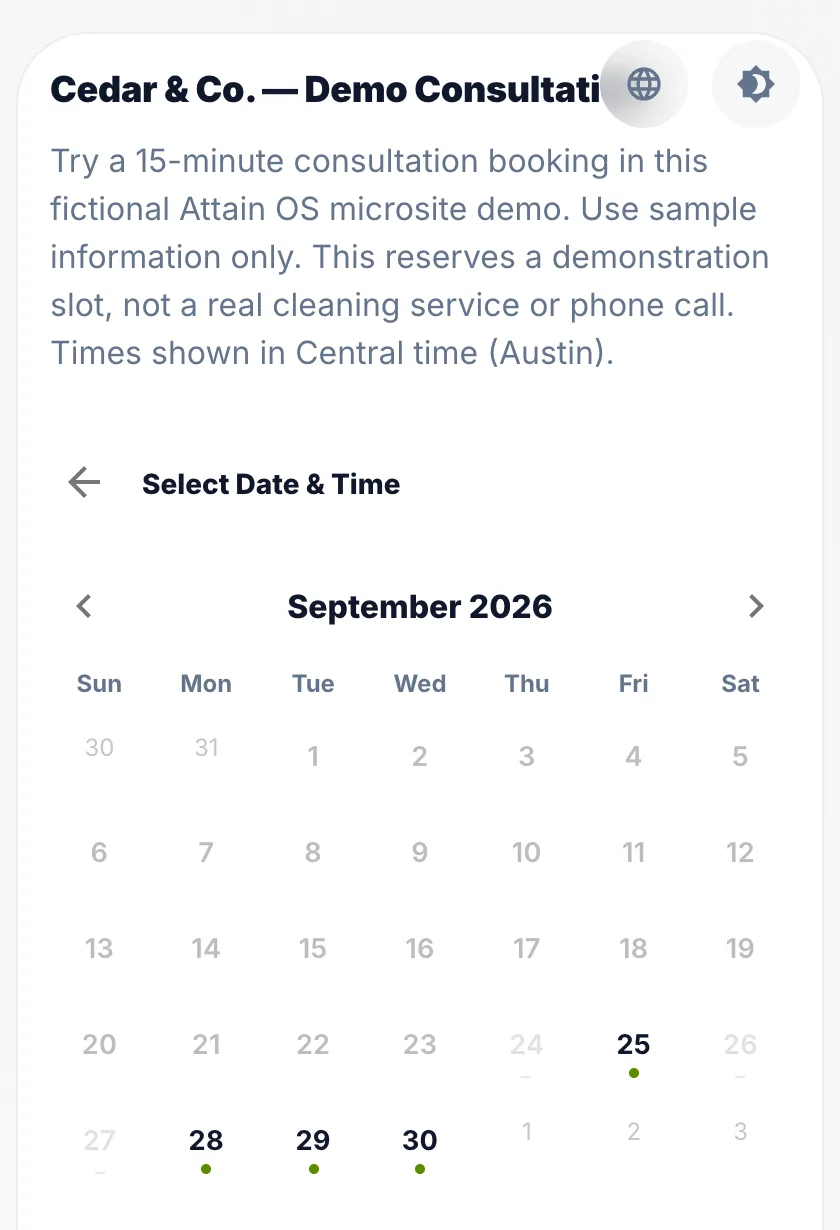
Customers pick a time from your real availability. The booking lands in the customer record.
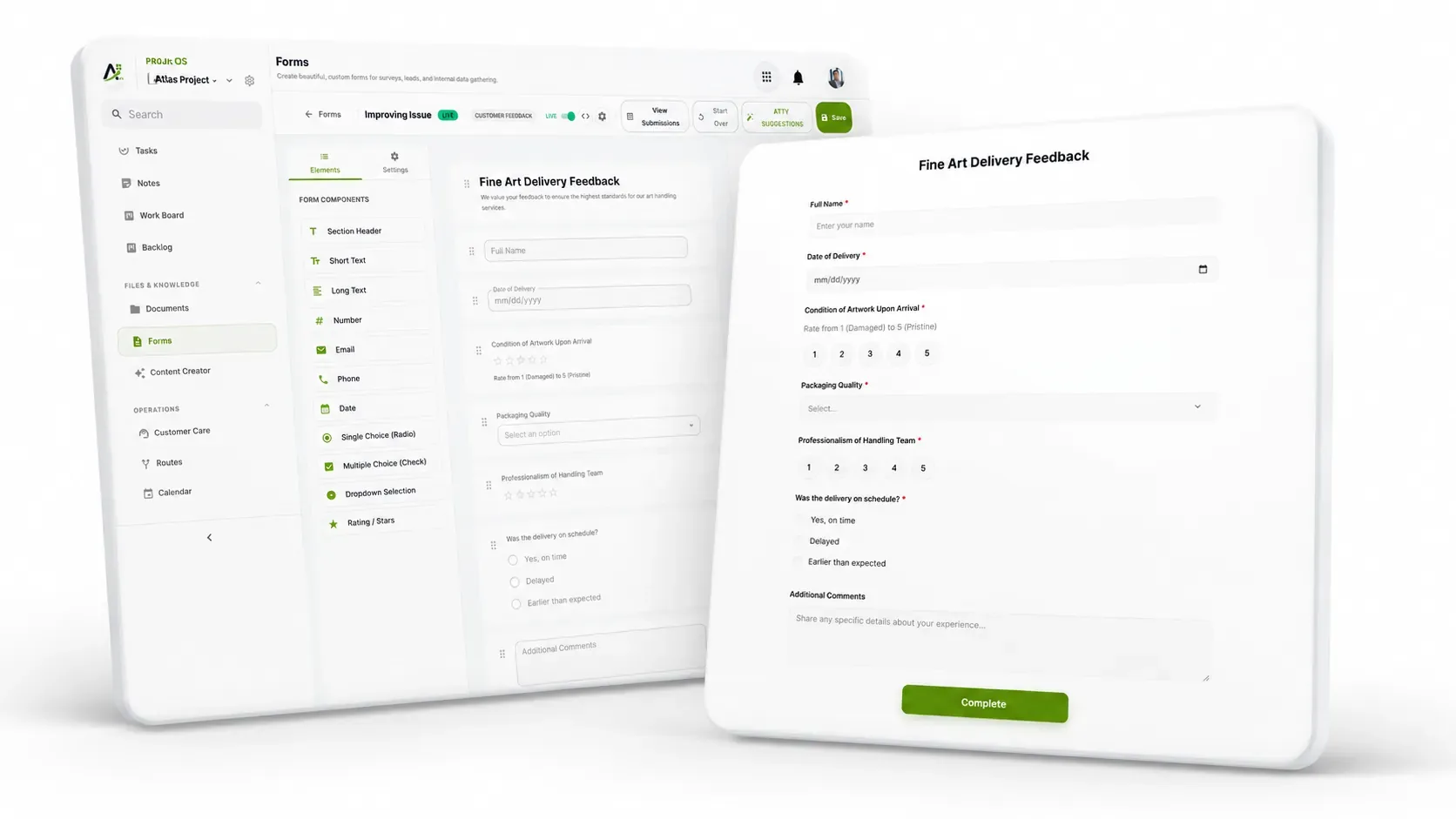
Build the form, share the link, and every answer becomes a record you can assign.
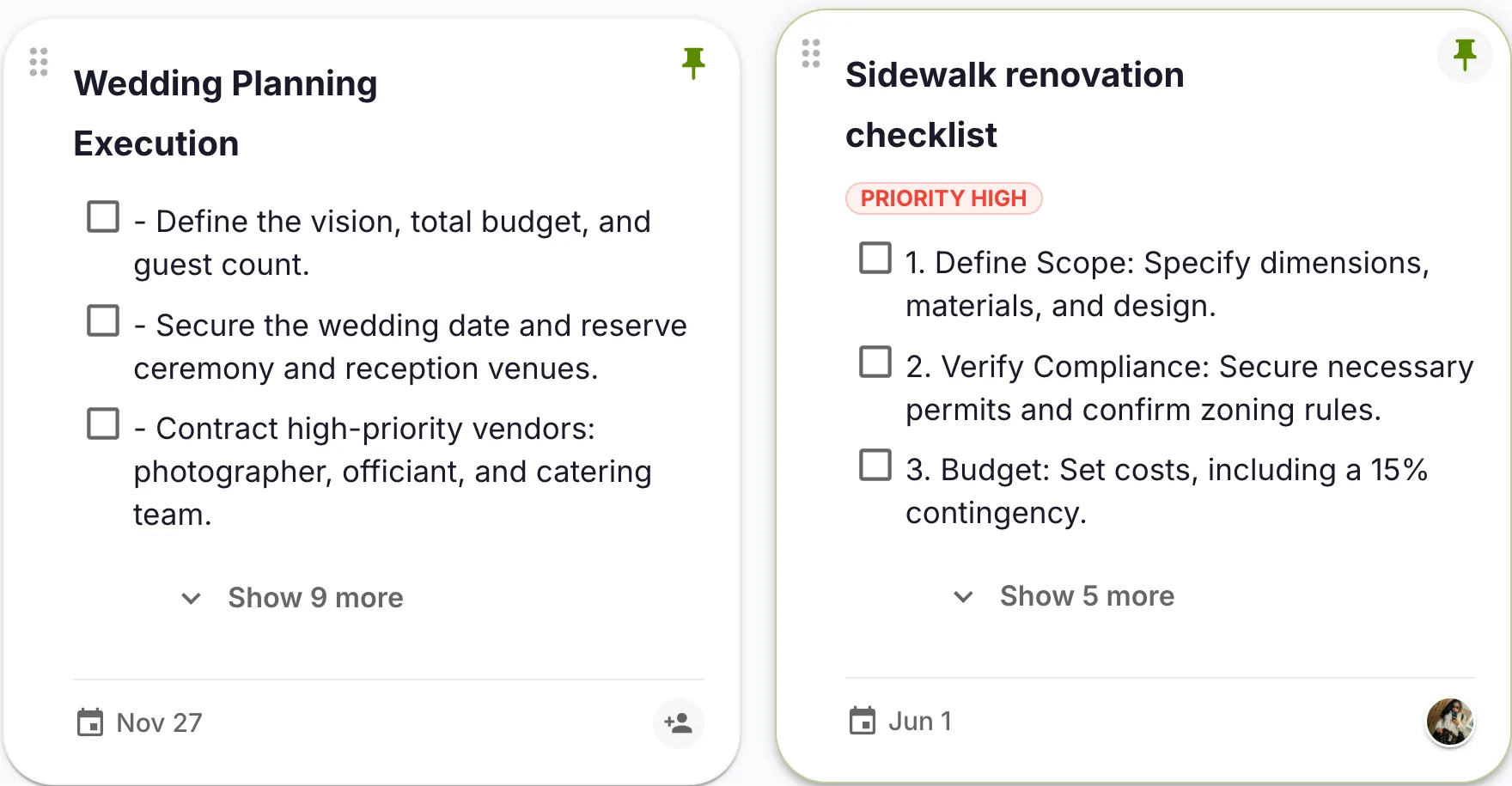
Checklists, due dates and an owner, in the project everyone shares.
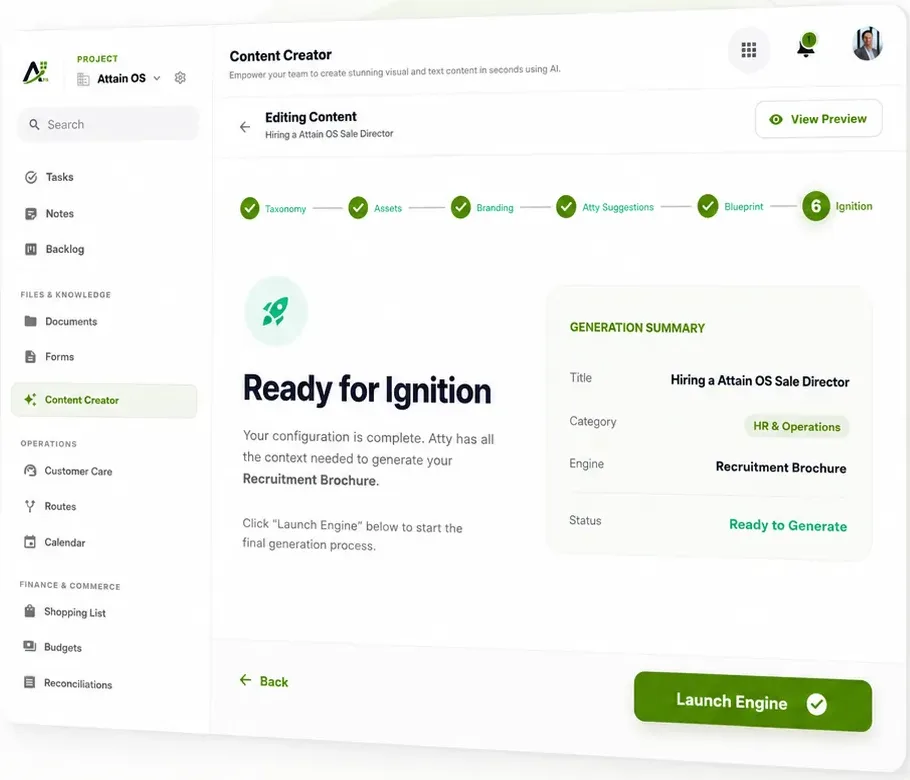
The Content Creator wizard builds it from your project material. You review it before you share the link.
Registrations come in through a form, and every answer lands as a record. The organizer asks Atty for the prep task list; Atty drafts it with owners and dates, and the organizer approves it.
Clients book on the public page, and confirmations and reminders go out on their own. When a client asks to move, Atty prepares the reschedule and the message for approval.
Ask Atty in the web chat, on WhatsApp or by voice.
Atty reads the customer, booking or task it needs. Reads happen right away.
Atty prepares the change and shows you exactly what it will do.
You approve it, or ask Atty in the chat for a changed version. Nothing happens until you approve.
A close-to-finished draft — not a blank page. Here's the kind of result the flow hands you, ready to review, tweak, and publish.
Meta offers Muse as a personal assistant for individuals. Meta's Muse pages list no business or team edition (checked September 24, 2026). Attain OS is a separate, independent product with Atty, an AI assistant designed for small businesses and teams.
Muse can help the owner as a personal assistant. Customers booking you, forms coming in and tasks for your team need a shared place; that is what Attain OS adds.
One place where your customers, bookings, forms, tasks and documents live, with an assistant that works from them. In Attain OS that assistant is Atty.
No. Atty is Attain OS's own assistant, not a Meta product. Like Muse, you chat with it, including on WhatsApp; unlike Muse, it is designed for a business's customers, bookings and team work.
Every Attain OS plan includes Atty, with a daily message allowance. See the pricing page.
Muse and Meta are named for comparison. Attain OS is independent and not affiliated with or endorsed by Meta. Product capabilities change; check Meta's current documentation.
