A public booking page, no login
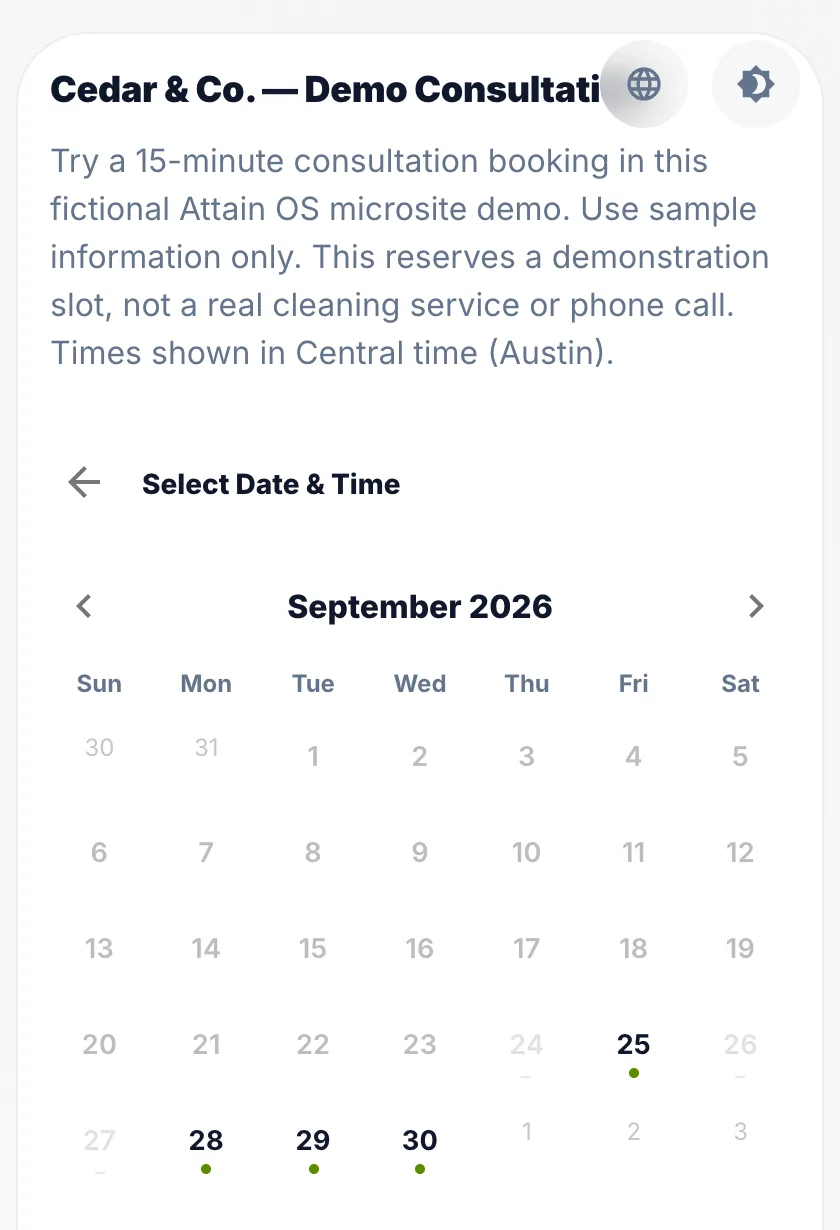
Each schedule has a link anyone can open. They see the slots that are genuinely free and take one.
Share one link. People pick a real slot, get a confirmation email and reminders, and the booking is already attached to their record, your team and your calendar.
Approve · Reject
Calendly does one thing well: it lets someone book time with you. The problem starts after the booking, when the appointment has to be copied into wherever you actually track that customer, that job and that team. Attain OS keeps the easy part easy and removes the copying. The booking page is public, needs no account, and shows real availability. What it creates is not a calendar event floating on its own but an appointment on the customer, with the history behind it.
Each schedule has a link anyone can open. They see the slots that are genuinely free and take one.
Weekly hours, per-person overrides, buffers, blackout dates, minimum notice and how far ahead people may book, all applied in your timezone.
A confirmation email goes out at once and reminders follow 24 hours and 1 hour before. Bookers can cancel or reschedule from that email, still without an account.
Taken slots disappear from the page, and the server checks again at the moment of booking, so two people cannot take the same time.
The booking sits on the customer and the assigned team member, next to their forms, notes and messages.
| Attain OS | Calendly | |
|---|---|---|
| Public booking page, no account for the booker | Yes | Yes |
| Buffers, blackout dates, min-notice, booking window | Yes | Yes |
| Confirmation email and 24h / 1h reminders | Yes, email | Yes, email; SMS on paid plans |
| Booker can cancel or reschedule from the email | Yes | Yes |
| Approval before a booking is confirmed | Optional, off by default | Optional |
| Booking lands on a customer record with history | Yes, same workspace | Via integrations |
| Sync with Google or Outlook calendars | No | Yes |
| Recurring appointment series | No | Limited |
| Payments at booking | No | Yes, Stripe or PayPal on paid plans |
| Forms, microsites, documents and an AI assistant in the same workspace | Yes | No |
If the only thing you need is a link that books a meeting, Calendly is fine. The switch pays off when bookings are the start of work rather than the end of it: a cleaning estimate that becomes a job, a consultation that becomes a client, a site visit that becomes a report. In Attain OS the booking already carries the customer, so the next step starts from the record instead of from a copied email.
Real screens from Attain OS: the booking page customers use without an account, and where each booking lands.
Customers pick a time from your real availability and get a confirmation and reminders.
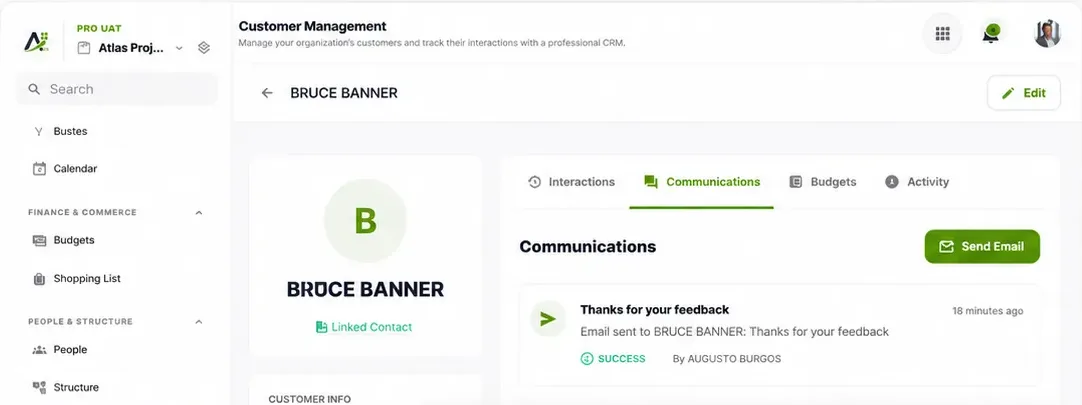
Each customer's details, messages and history stay in one record your team shares.
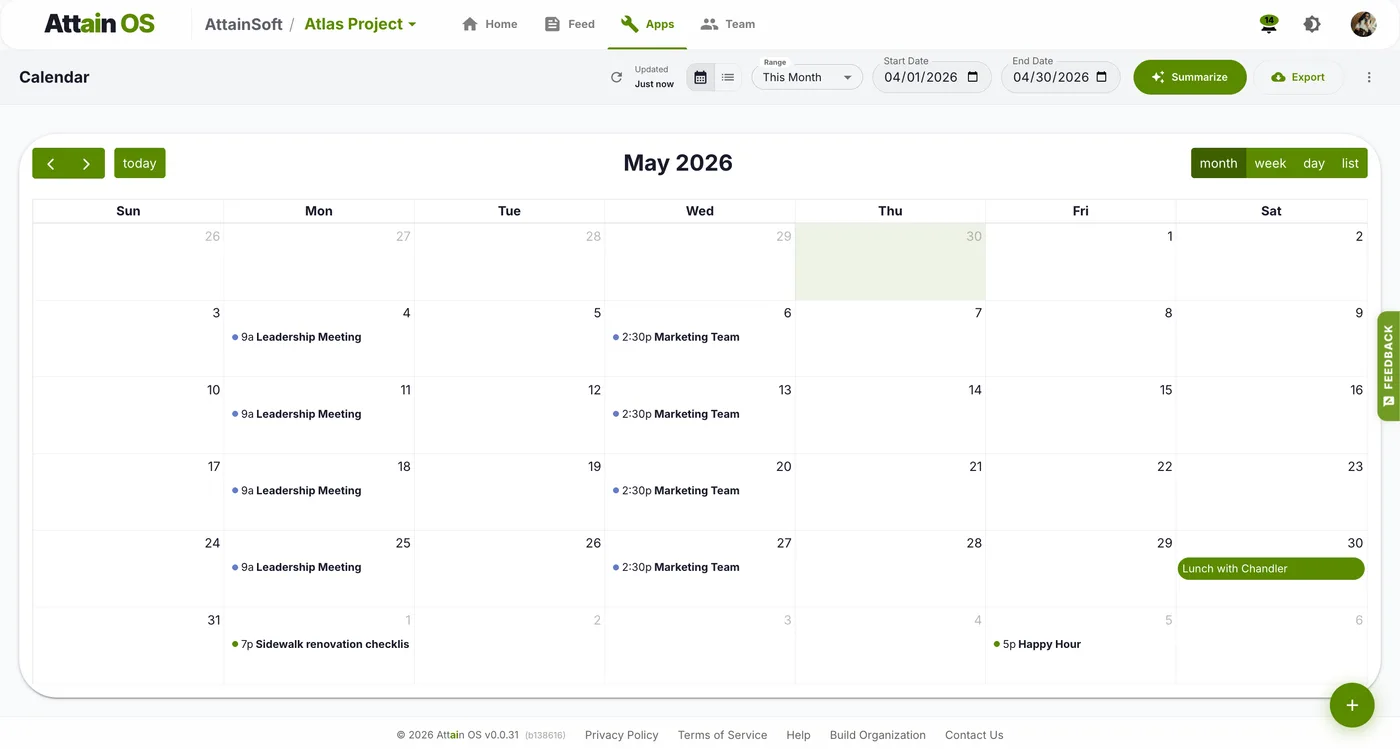
The Calendar shows bookings next to your team's meetings and events.
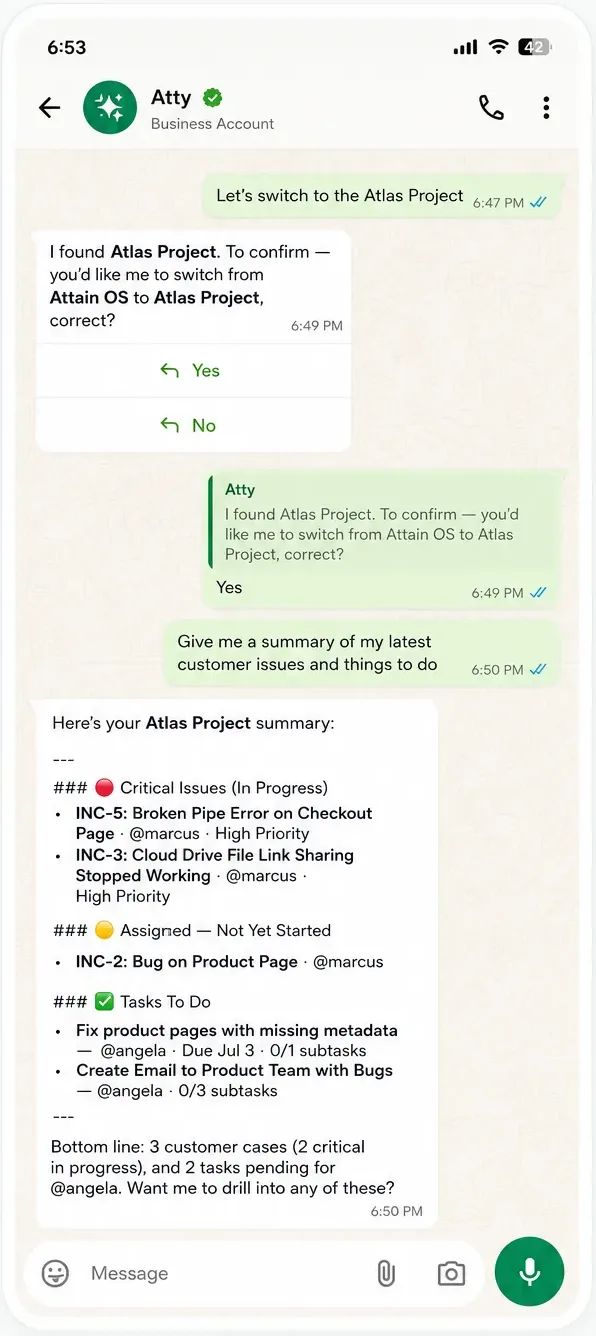
Ask Atty to move a booking and tell the customer. It prepares both, and you approve.
The owner publishes one booking link for estimate visits with weekly hours, a 30-minute buffer and two weeks of booking window. A prospect books a slot from the website. The appointment appears on the prospect's record and on the assigned estimator's calendar, and the confirmation email goes out immediately. After the visit, the estimate form and the follow-up sit on the same record.
Each consultant has their own schedule with per-person overrides and blackout dates for travel. A lead books from the link in an email signature. Because approval is off, the booking is confirmed at once; the consultant only sees it on the calendar and on the lead's record. If the lead reschedules from the reminder email, the record updates.
Tenants book maintenance visits from a public link with a minimum notice of one day. Taken slots disappear from the page, and the server re-checks at the moment of booking, so two tenants cannot take the same time. Each visit is attached to the tenant's record, next to the intake form they filled in.
In Appointments, define weekly availability, buffers, blackout dates, minimum notice and how far ahead people may book. Add per-member overrides if several people take bookings.
Each schedule has a public booking page. Put the link on your website, in an email signature or on a microsite. Nobody needs an account to book.
A booking is confirmed immediately unless you turn on approval for that schedule. The booker receives a confirmation email, then reminders 24 hours and 1 hour before.
The appointment sits on the customer record with their forms, notes and messages. Your team, signed in, can ask Atty to draft the follow-up email or the next task for a person to review and send.
A close-to-finished draft — not a blank page. Here's the kind of result the flow hands you, ready to review, tweak, and publish.
No. The booking page is public and needs no login.
No. There is no two-way sync and no import. Appointments show on the built-in Calendar, and you can download any event or date range as an .ics file.
Yes, per schedule. By default a booking is confirmed immediately.
Not on the booking page. Each booking is one appointment. Recurring events exist in the Calendar app.
A confirmation email straight away, then reminders 24 hours and 1 hour before, with links to cancel or reschedule.
No. Customers use the booking page. Atty's appointment tools are for your team, signed in.
