Describe it, then refine it in plain language
Say what the form is for and adjust the result the same way.
Describe what you need, get a working form, share the link. Each answer becomes a record your team can act on, not a row you export later.
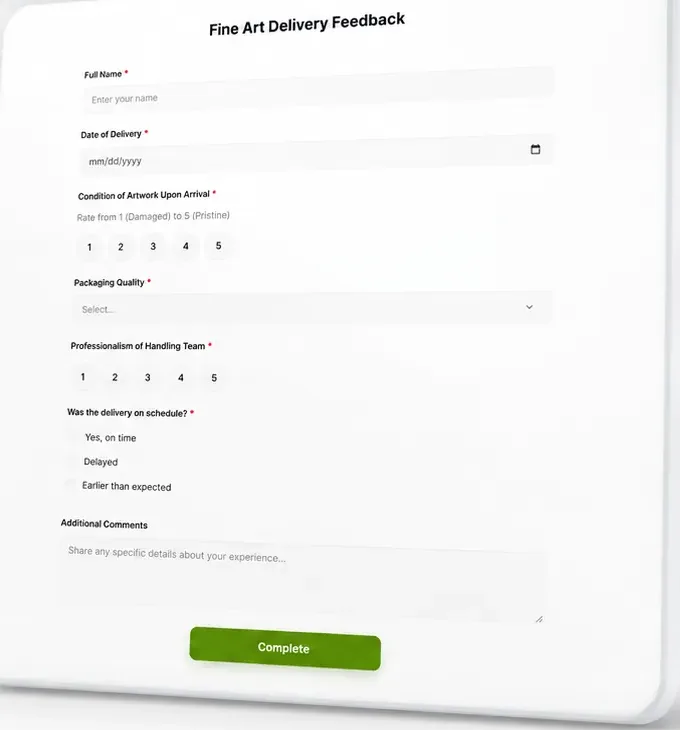
Typeform made forms pleasant to fill in. The work it leaves you is everything after the submission: exporting, matching answers to people, chasing follow-ups. Attain OS starts from the other end. You describe the form in plain language and refine it the same way, the link is public and needs no account, and the submission is a record on the person who sent it, ready to assign and follow up from the same place.
Say what the form is for and adjust the result the same way.
Share it anywhere.
Review responses in a table, filter, assign and follow up from the record.
Generate a shareable microsite page and publish it to a public link with your form linked from it. The page carries a title, description and social preview.
A form for the request, a booking page for the visit, Atty to draft the reply.
| Attain OS | Typeform | |
|---|---|---|
| Build a form by describing it | Yes | Yes, AI-assisted |
| Public link, no account for respondents | Yes | Yes |
| Submissions become records you assign and follow up on | Yes, same workspace | Via integrations |
| Response charts and analytics | Table view, filter and follow-up | Yes, built in |
| Payments in a form | No | Yes, Stripe or PayPal from the Basic plan |
| Logic jumps and branching | No | Yes |
| Embed the form inside your own site | Link only | Yes, embed |
| Bookings, microsites, documents and an AI assistant in the same workspace | Yes | No |
Forms are how work arrives: an estimate request, an RSVP, an intake, an inspection. Typeform hands you the answers and leaves the rest to other tools. Attain OS treats the answer as the first record of a job, which is why the form, the booking and the follow-up all live in one place.
Real screens from Attain OS: build the form, share the link, and work from the answers.
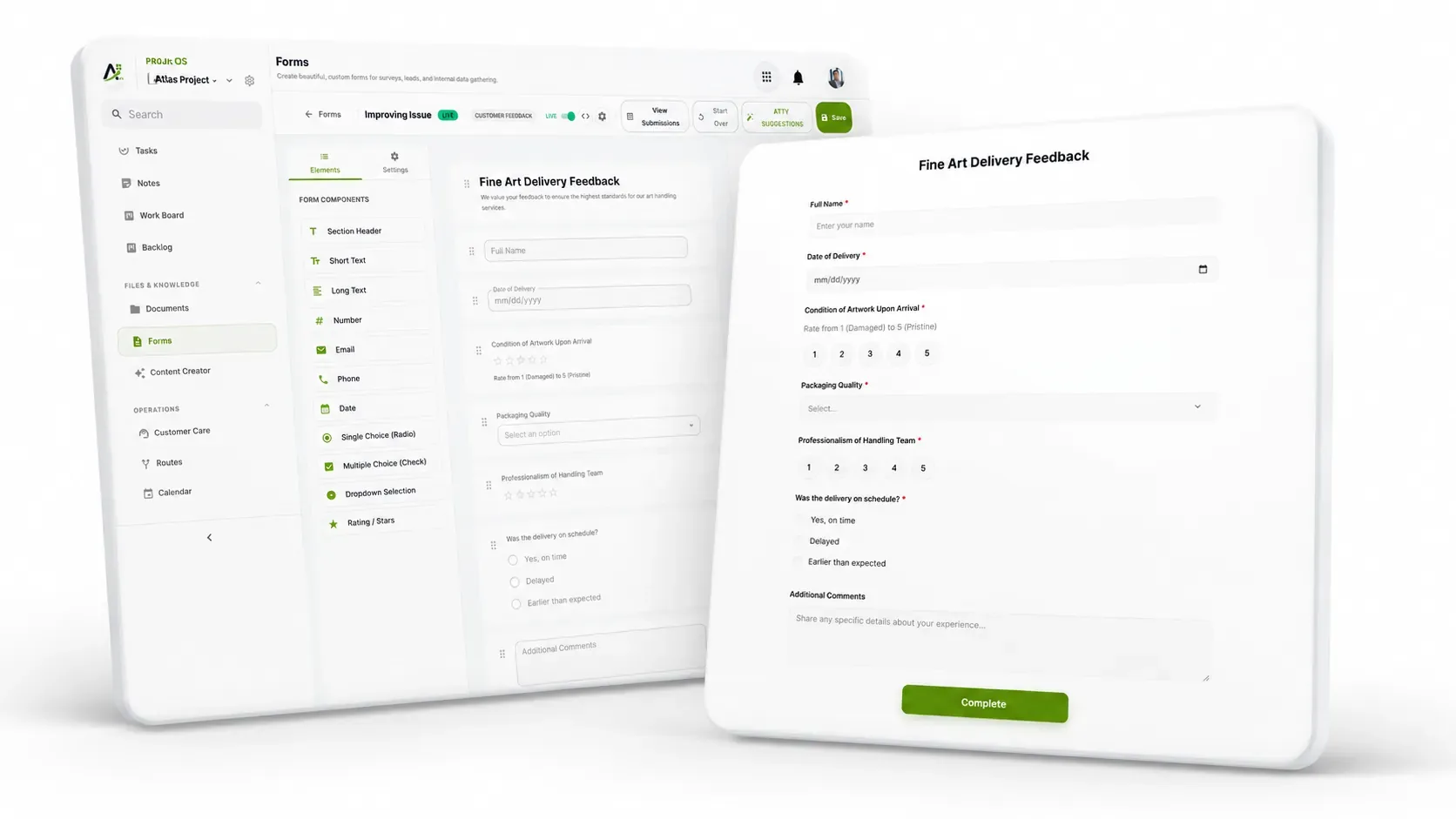
Add fields in the builder, or describe the form you need and let AI draft it.
Share one link. Anyone can fill it in without an account.
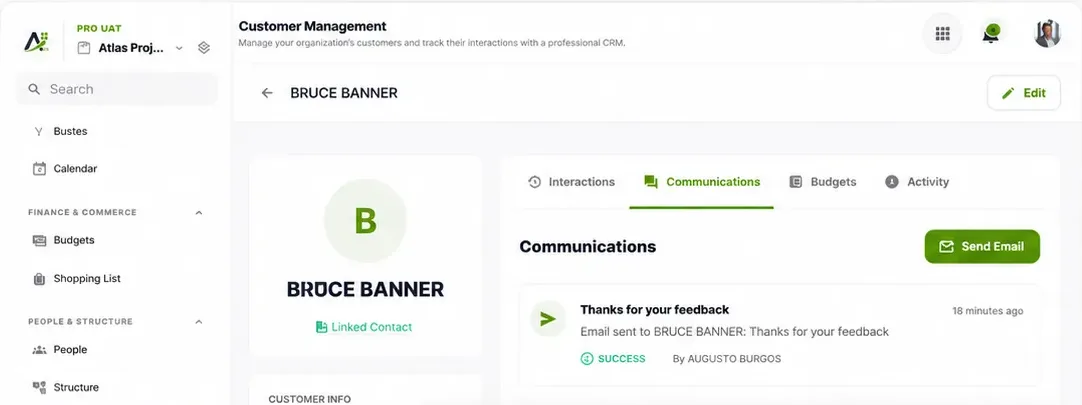
Keep each customer's details, messages and history in one shared record.
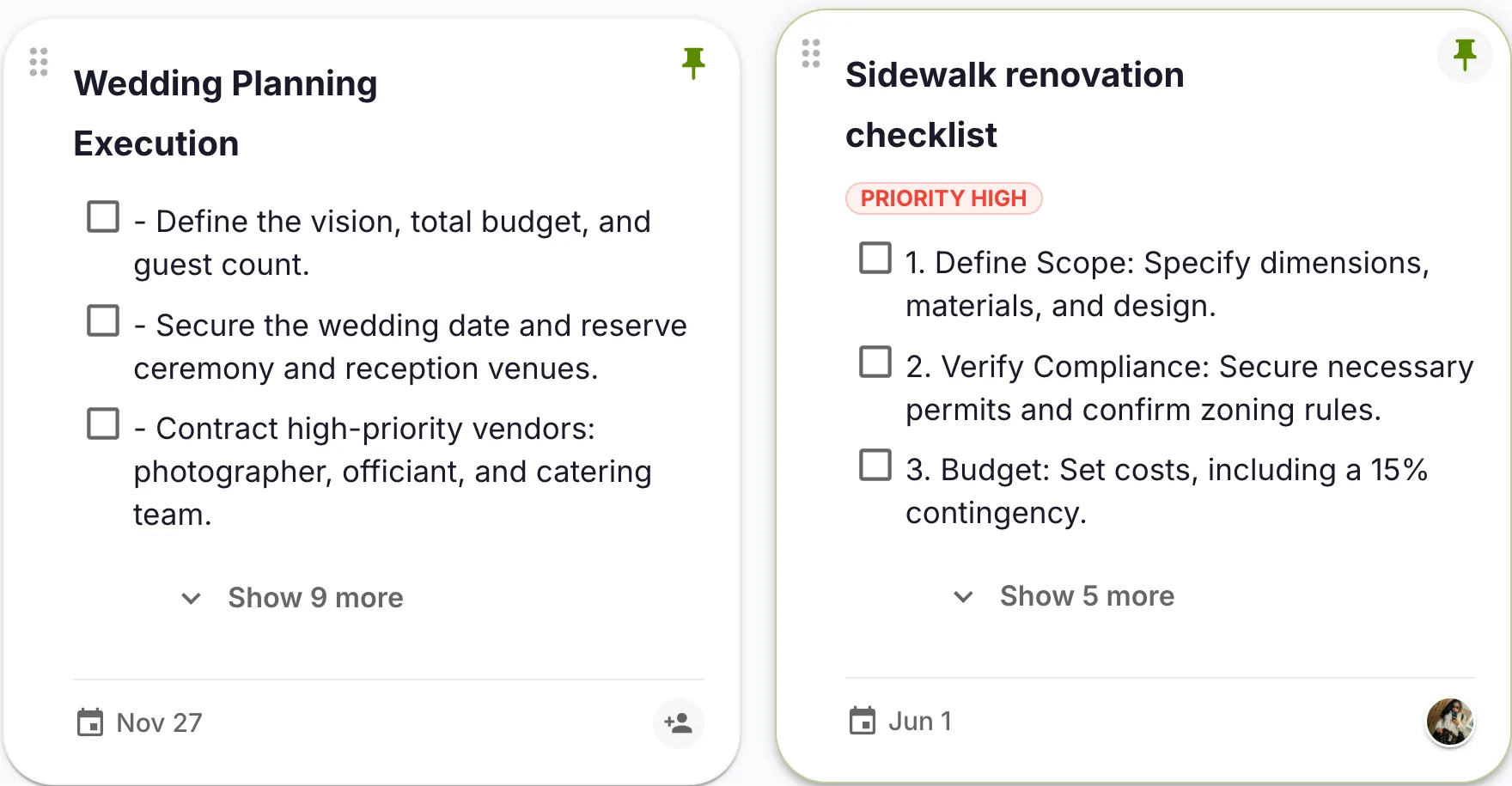
Follow-up work goes on a task with an owner and a due date.
The owner describes an estimate request form: name, address, square footage, preferred dates. Attain OS generates it and the owner adjusts two fields in plain language. The link goes on the website and on a microsite. Each request arrives as a record with the person attached, and the owner assigns it to an estimator and books the visit from the same place.
The organizer builds an RSVP form for a free community event and shares the link. Responses show in a table the organizer filters by answer and reviews before the event. Follow-up is done by the organizer from the list; the product does not send a bulk reminder.
A supervisor describes an inspection checklist. Crews fill it from their phones through the public link. Each submission is a record the supervisor can filter by location whenever they want to see which items keep getting skipped.
In Forms, say what the form is for and who fills it in. Attain OS generates the fields and validation.
Ask for changes the way you would ask a colleague: rename a field, make one required, add an option.
Put the link anywhere, or link it from a microsite generated in Attain OS. Respondents need no account.
Review responses in a table, filter, assign and follow up. Your signed-in team can ask Atty to draft the reply for a person to review and send.
A close-to-finished draft — not a blank page. Here's the kind of result the flow hands you, ready to review, tweak, and publish.
Shared as a public link and linked from the services microsite. Each submission becomes a record on the customer, assigned to an estimator.
No. The link is public.
Not yet. Responses show in a table you can filter and follow up from.
You share it as a link, or link it from a microsite generated in Attain OS. There is no embed snippet.
No.
Yes, by linking the form from the microsite page. The microsite itself does not contain a form.
